

Estate planning binder and important personal documents arranged on a desk
Estate Planning Organizer PDF Guide

Picture this: Your sister-in-law just spent three months tracking down her late husband's crypto wallet password. She knew he had Bitcoin—but where? Under which email? With what exchange? Meanwhile, automatic payments drained accounts she didn't know existed. She found a life insurance policy nine months too late to claim the grief counseling benefit.
You can spare your family this nightmare. An estate planning organizer puts every critical detail in one place—account numbers, passwords, property locations, and wishes nobody thinks to ask about until it's too late.
What Is an Estate Planning Organizer
Here's what you're building: a master directory of your financial life. Could be a three-ring binder stuffed with printouts. Might be a PDF sitting in Dropbox. Some folks use dedicated software.
The estate planning document organizer goes way beyond legal paperwork. Sure, it references your will and trust documents—but it also includes things like "the savings account at that credit union near Mom's old house" and "my college roommate manages our rental property" and "the combination to the gun safe is Dad's birthday backwards."
Your attorney handles legal documents. Your financial advisor manages investments. But you're the only person who knows Great-Aunt Martha's emerald ring is in the false bottom of your jewelry box, or that your business partner needs to be contacted within 48 hours if something happens to you.
Most templates organize information by category—financial accounts in one section, insurance policies in another, real estate documents in a third. The specific structure matters less than two things: everything's actually in there, and someone besides you can understand it.
This document bridges what lawyers know (how your estate should be distributed) and what your family needs (where everything actually is). Without it, your executor becomes a detective investigating your entire life while grieving your loss.

Author: Jonathan Whitmore;
Source: harbormall.net
Why You Need an Estate Planning Document Organizer
Let me tell you about the Johnson estate. When Robert Johnson died, his will was perfectly drafted—not one legal problem. But his executor spent 18 months tracking down assets. Turns out Robert had accounts at seven different banks (he chased interest rate promotions), owned a timeshare in Mexico nobody knew about, and had prepaid his funeral at a home three states away from where he lived when he died. Total executor fees and attorney time? $47,000. All because there was no estate planning record organizer.
Compare that to the Martinez family. Elena Martinez kept a blue binder updated every April when she did her taxes. When she died unexpectedly at 58, her daughter had the entire estate settled in four months. Legal fees ran about $6,800.
An organized estate planning binder can save your family months of stress and thousands in legal fees. I've seen estates with identical asset values take six months versus three years to settle—the only difference was documentation quality
— Margaret Chen
Here's what happens without organized records: Banks won't tell your family about accounts they don't ask about specifically. That brokerage account from your old employer? Lost in the shuffle. The $50,000 life insurance policy through your professional association? Nobody thinks to check. Digital subscriptions keep billing. Property taxes go unpaid until the county files liens.
Sudden death creates the worst scenarios. When a healthy 45-year-old has a fatal car accident, there's no goodbye conversation about which bank holds the emergency fund or where to find insurance policies. Your organizer becomes your voice after you've gone silent.
Incapacity needs planning too. Stroke at 62? Your spouse needs insurance information immediately—not after a week of searching through file cabinets. Which medications do you take? Who's your cardiologist? Where did you store the healthcare proxy?
Single parents carry extra weight here. If you're the only parent, who knows where you keep your kids' Social Security cards? Which pediatrician has their medical records? What's the school district login for grade reports? An organizer ensures continuous care no matter what happens.
Business owners face unique challenges. Your company might employ fifteen people, serve dozens of clients, and generate significant revenue. Without organized records—vendor contracts, client lists, login credentials, supplier relationships—even a profitable business can collapse within weeks of the owner's unexpected death.

Author: Jonathan Whitmore;
Source: harbormall.net
What to Include in Your Estate Planning Binder
Your estate planning binder needs enough detail that a smart stranger could step into your financial life tomorrow. Not your best friend who knows your history—someone who's never met you.
Personal and Family Information
Start with the basics, but get specific. Not just your Social Security number—also your Medicare number if you have one, your passport number and expiration date, your driver's license details. Same for your spouse and kids.
Birth certificates, marriage license, divorce decrees if applicable, military discharge papers for veterans (you'll need that DD-214 for burial benefits), citizenship documents, adoption papers. These prove identity and entitlement to benefits.
List every professional who touches your life: attorney (include their assistant's name—that's who actually answers the phone), accountant, financial planner, insurance agent for each policy type, primary care physician, specialists you see regularly, your employer's HR director. Add phone numbers, email addresses, and physical addresses. Email bounces? Someone can mail a letter.
For minor kids, document guardianship preferences with reasoning. "I'm naming my sister Jennifer as guardian because she shares our values about education and has space for the kids. Not my brother Mike—love him, but his travel schedule wouldn't work." Courts appreciate context.
Financial Accounts and Assets
Here's where people usually discover they have more accounts than they realized. List every single one:
Checking accounts—all of them, even that one you opened for the signup bonus and forgot to close. Include bank name, branch location if it's a local bank, account number, approximate balance, whether it's individual or joint, and online login URL.
Savings accounts, money markets, CDs. Same details. Note CD maturity dates—your executor needs to know if a six-month CD is auto-renewing.
Investment accounts: brokerage firms, retirement plans (your 401k, old 401k accounts you rolled into IRAs, Roth IRAs, SEP IRAs if you're self-employed, 403b if you work for a nonprofit), health savings accounts, 529 college savings plans for kids.
Real estate gets its own detailed section. For each property: full address, how title is held (individual, joint tenants, tenants in common, in your trust), location of the deed, mortgage company and account number, monthly payment amount, property tax account number, homeowners insurance company and policy number, estimated current value, and any rental income if it's investment property.
Vehicles: cars, trucks, motorcycles, boats, RVs, aircraft if you're a pilot. VIN numbers, title locations, loan information, insurance details.
Valuable personal property: jewelry (especially heirloom pieces), art, collectibles (specify what—coin collection, baseball cards, antique furniture, vintage wines), firearms. Include appraisals if you have them. Note specifically who should receive items with sentimental value.
Business ownership requires extensive detail: percentage owned, names of co-owners, buy-sell agreement location, business valuation method, key employee contacts, where you keep contracts and client lists. If you're a sole proprietor, document everything about how the business operates—your executor might need to keep it running temporarily.
Don't forget debts. Mortgages, car loans, student loans (federal and private), credit card balances (list each card), business loans, personal loans from family. Include creditor contact information and whether any debt has life insurance attached that pays it off when you die.
Legal Documents and Directives
You don't need to stuff original documents into your estate planning portfolio—in fact, you shouldn't. Originals should stay in safety deposit boxes or your attorney's office. But your organizer should reference each document with crystal-clear location information.
List your will (date signed, attorney who prepared it, where the original is stored—"safety deposit box #342 at First National Bank downtown branch, Main Street location"), any trusts you've created (revocable living trust, irrevocable life insurance trust, special needs trust for a disabled child), powers of attorney for both financial and healthcare decisions, living will or advance directive, healthcare proxy, HIPAA authorization that lets your family get medical information about you.
Include your attorney's full contact details. If you prepared documents with an attorney who's since retired, note that and list your current attorney if different.
Pending legal matters deserve mention: lawsuits you've filed, claims against your estate, settlements you're awaiting, ongoing disputes about property lines or contract terms. These represent potential assets or liabilities.
Digital Assets and Passwords
This section barely existed twenty years ago. Now it's critical.
Email accounts—all of them. That Gmail you use daily, the Yahoo account from 1998 you still check occasionally, your work email. Include usernames, passwords (or note "stored in LastPass" if you use a password manager—and include the master password for the manager), security question answers.
Social media: Facebook, Instagram, LinkedIn, Twitter, TikTok, whatever platforms you use. Document your wishes: delete the account, memorialize it, give someone access to download photos and memories. Some platforms offer legacy contact features—note if you've set that up.
Financial platforms: online banking logins, investment account access, PayPal, Venmo, other payment apps, cryptocurrency exchange accounts (with wallet addresses and private keys—crucial), retirement account online access.
Cloud storage: Google Drive, Dropbox, iCloud, Microsoft OneDrive, photo services like Amazon Photos. These might contain important documents or irreplaceable family photos.
Subscriptions and automatic payments. Your executor needs to cancel these: Netflix, Spotify, gym memberships, Amazon Prime, meal kit services, software subscriptions, domain registrations if you own websites, website hosting. List what's charging to which credit card.
Digital businesses represent real value. A YouTube channel earning ad revenue, an e-commerce store, affiliate marketing websites, mobile apps generating downloads—all need detailed access information and instructions. Should your executor keep them running? Sell them? Shut them down?

Author: Jonathan Whitmore;
Source: harbormall.net
Final Wishes and Instructions
Legal documents can't capture everything you want to communicate. This section covers personal preferences and explanations.
Burial or cremation? If burial, do you own a cemetery plot? Which one, where? If cremation, what should happen to the ashes? (Scattered at the beach where you met your spouse? Divided among children? Buried in a family plot?) Have you prepaid any funeral arrangements? Which funeral home?
Organ donation: Your driver's license notes this, but detail which organs and tissues you're willing to donate. Some people specify "anything medically useful." Others have restrictions.
Funeral or memorial service preferences: Religious service or secular celebration? Big gathering or small family-only affair? Specific music, readings, or speakers? One woman's organizer specified "absolutely NO open casket—I made this clear my whole life and I mean it."
Who should be notified when you die? Obvious people are easy—immediate family, close friends. But what about your former college roommate in Seattle? The online book club you've participated in for years? Your mentor from your first job? List names and contact information for anyone who'd want to know.
Pet care instructions matter tremendously if you have animals. Veterinarian contact, feeding schedules, medications, behavioral quirks ("Max is terrified of thunderstorms—he needs to be in his crate with a blanket over it"), and who should adopt each pet. Consider designating funds specifically for pet care—some states allow pet trusts.
Explanations for specific bequests prevent family fights. "I'm leaving the lake cabin to Sarah instead of splitting it between both kids because Tom hates the outdoors and Sarah spent every summer there with me. Tom is getting the rental property instead, which has higher value." Context helps people understand your reasoning.
How to Create an Estate Planning Portfolio
Block out a weekend. Seriously—this takes time if you're doing it properly. You'll need several hours minimum, possibly spread across multiple sessions.
Gather every financial statement from the past month. Pull out insurance policies. Locate property deeds. Find account paperwork. Create a master checklist of categories so you don't forget anything. Many people discover accounts they'd completely forgotten about during this process.
Decision point: physical binder or digital file? Each has advantages.
Physical binders feel tangible. Some people trust paper more than computers. Printing account statements and organizing them with dividers creates a satisfying sense of progress. Downside: harder to update, can be damaged by fire or flood (get a fireproof safe), and you can only have so many copies before storage becomes a problem.
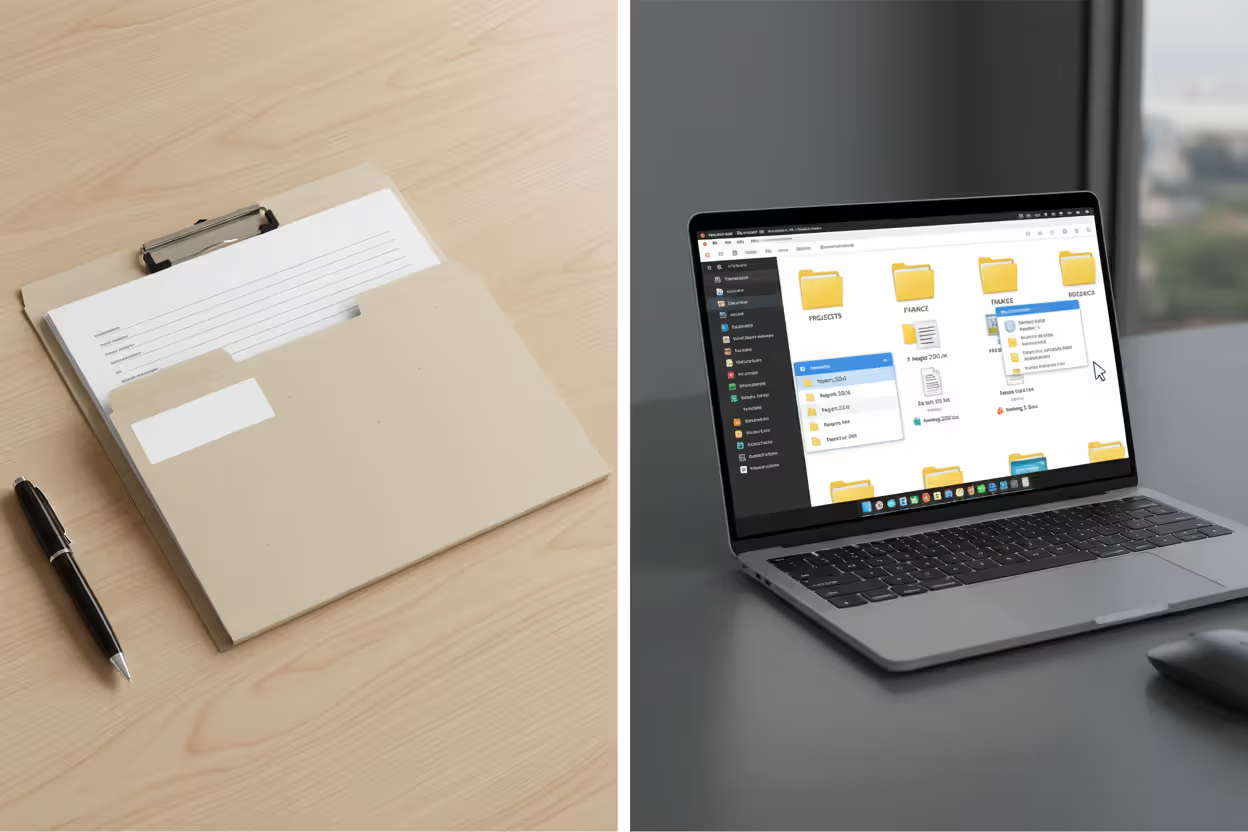
Digital formats—especially an estate planning organizer pdf—update easily. Change your bank? Adjust one line instead of reprinting pages. Store copies in multiple locations (encrypted cloud storage, flash drives, external hard drives). Share access with executors through password managers. Downside: requires tech comfort, and your family needs to be able to access encrypted files.
Many people split the difference: physical binder for critical original documents (property deeds, birth certificates, stock certificates if you have physical ones), digital PDF for everything else—account lists, passwords, contact information that changes regularly.
Organization structure: most people choose either document type (all insurance together, all account statements together) or asset type (one section for the house including deed, mortgage, insurance, tax bills; another section for investments including all accounts; a third for personal property). Pick whatever makes intuitive sense to you.
Create a detailed table of contents up front. Someone unfamiliar with your system—maybe someone who's never even met you—should find any piece of information within two minutes maximum. Use tabs, color coding, clear section headers, whatever helps navigation.
Now fill it in. One section at a time. Don't aim for perfection initially. A 60% complete organizer sitting in your safe provides infinitely more value than a perfect one you never finish because the task felt overwhelming.
Set up automatic review reminders. Put a recurring calendar appointment every six months: "Review estate organizer." Also update immediately after major life events—marriage, divorce, baby born, someone dies, you change jobs, buy a house, sell property, start a business, retire. These events change your financial picture dramatically.

Author: Jonathan Whitmore;
Source: harbormall.net
Make multiple copies and store them strategically. Keep one in a fireproof safe at home. Give one to your executor. Leave one with your attorney. For digital versions, use encrypted cloud storage—but make sure you've given access credentials to your executor through a secure method. Don't email passwords in plain text.
Document the organizer's existence and location clearly. Add a note to your will: "Complete estate information is maintained in a blue three-ring binder stored in the fireproof safe in the master bedroom closet. Combination is 23-15-09." Without this, your family might not even know to look for it.
Free vs. Paid Estate Planning Record Organizers
You've got options ranging from zero dollars to several hundred. The right choice depends on how complex your estate is and how much hand-holding you want.
| Type | Cost | Features Included | Best For | Limitations |
| Free templates online | Nothing | Basic category structure, fillable PDF fields, print capability | Simple financial situations, single people without kids, anyone wanting to test the concept before committing | Limited guidance on what to include, no built-in instructions, basic categories might miss specific assets, static format gets no updates |
| Commercial PDF organizers | $15-$50 one-time | Comprehensive category lists, detailed prompts reminding you what to document, explanatory instructions, sometimes video walkthroughs | Most families, people wanting structure and prompts, anyone who prefers one-time purchase to subscriptions | You're on your own for updates when life changes, manual process, no cloud sync across devices |
| Subscription software platforms | $50-$200 yearly | Cloud storage with backups, automatic update reminders, document upload and attachment, sharing with family, mobile apps, bank-level encryption, customer support | Tech-comfortable users, complex estates with many accounts, people wanting ongoing support and automatic backup | Recurring cost adds up over years, depends on company staying in business, requires internet access to use |
| Attorney-provided organizers | $100-$500 | Customized specifically for your situation, professional review to catch gaps, integrates with your legal documents, attorney can update when laws change | High net worth individuals, complex estates with trusts and business ownership, anyone getting comprehensive estate planning done anyway | Highest cost, might include categories irrelevant to your situation, less flexibility to customize yourself |
| DIY spreadsheet | Free if you have Excel/Sheets | Complete customization, offline access, familiar interface, works exactly how you want | Very organized people comfortable building systems from scratch, those with unique situations not fitting standard templates | Significant time investment upfront, easy to overlook important categories, no professional guidance on what to include |
Free templates from AARP, state bar associations, or major financial institutions (Fidelity, Vanguard, and Charles Schwab all offer free versions) work well as starting points. They'll cover the essentials—bank accounts, insurance, basic property—but won't prompt you about things like digital assets or business interests.
Commercial PDF organizers in the $30-$40 range from specialized companies hit a sweet spot for most people. You get comprehensive categories with explanatory text ("Don't forget to list accounts at credit unions, which people often forget") and examples showing what complete information looks like. Worth the modest cost if it prevents you from forgetting important assets.
Subscription platforms justify their ongoing cost when you have a complex, changing estate. If you're actively trading, moving money between accounts, updating insurance coverage regularly—the automatic backup and easy updating make sense. The $100-$150 annual cost beats paying an attorney $200/hour to update your organizer.
Attorney-provided organizers work best when bundled into comprehensive estate planning services. If you're paying $2,000-$5,000 for will, trust, powers of attorney, and advanced directives, the included organizer integrates seamlessly with all those documents. Just paying for the organizer alone at attorney rates rarely makes financial sense.
Whatever you pick—expensive or free—remember this: a completed basic organizer beats an abandoned sophisticated system every single time. Start simple if you need to. You can always upgrade later.
Author: Jonathan Whitmore;
Source: harbormall.net
Common Mistakes When Building an Estate Planning Organizer
Biggest mistake? Treating this as a one-and-done project. You finish it, put it on the shelf, and never look again. Meanwhile you refinance the mortgage, roll over your 401k, close two bank accounts and open three new ones, get remarried, sell the rental property, and start a side business. That five-year-old estate planning binder now causes more confusion than clarity.
Many people document financial accounts thoroughly but completely ignore everything else. Your executor will eventually find bank accounts through probate searches. But they'll never know you wanted your vintage motorcycle to go to your nephew, or that your password manager master password is hidden in the false bottom of your desk drawer, or that you prepaid your funeral in 2019.
Vague information helps nobody. "Savings account at First National" doesn't cut it when First National Bank has 23 branches across three states and you don't specify which savings account—the one in your name only, the joint one with your spouse, or the custodial account for your grandson? List specific account numbers, approximate balances, and exact branch locations if it's a regional bank.
Storage location can defeat the entire purpose. Safety deposit boxes sound secure, but most require your signature to access. When you die or become incapacitated, that box becomes inaccessible until your executor gets court orders. Conversely, leaving your organizer on your desk where the cleaning service, dinner guests, and contractor doing repairs can all see sensitive information creates identity theft risks.
Creating a masterpiece and telling nobody defeats the purpose. Your spouse and executor should know exactly where this document lives and how to access it. If it's digitally encrypted, they need the password—stored separately in a sealed envelope with your attorney, not sitting next to the computer.
Digital files need proper security. Password protect everything. Use encryption for cloud storage. Don't email "My Complete Estate Planning Info.pdf" as an unencrypted attachment to your sister. That's an identity thief's dream scenario.
Some folks include original documents rather than referencing their storage locations. Your original will, property deeds, and stock certificates belong in safety deposit boxes or with your attorney—not in a binder that could get stolen, damaged, or lost. The organizer should say "original will stored in safety deposit box #627 at Western Bank, Harbor Street branch, box key in bedroom dresser."
Contradictions between your organizer and legal documents cause serious problems. Will says your brother is executor, but the organizer lists your sister? Which instruction wins? Review both simultaneously every time you update either one.
Frequently Asked Questions About Estate Planning Organizers
Your executor faces an incredibly difficult job. They're grieving your loss while simultaneously becoming the CEO of your financial life. Every missing piece of information adds days or weeks to their work. Every mystery account or unknown password creates frustration compounding their grief.
You can make their job manageable. Start this weekend—seriously, block out Saturday afternoon. Choose whatever format feels doable, even if it's just a simple Word document or Google Sheet. Focus first on the big stuff: bank accounts, retirement funds, property, insurance. You can add details about digital assets and personal property later.
Don't wait for perfect. Better to have a 50% complete organizer in your safe today than a perfect one you'll create "someday" that never actually happens. You can always improve it. Get something down now.
Update it as religiously as you take your car for oil changes. Set that six-month reminder. When major life changes happen—and they will—adjust the organizer immediately while everything's fresh in your mind.
Tell people where you've stored it. Your spouse needs to know. Your executor needs to know. Maybe your adult kids. The organizer you create provides zero value if nobody can find it when you're not around to point them toward it.
This document represents one of the most caring things you can do for the people you'll leave behind. You're essentially leaving detailed instructions for a treasure hunt—except the treasure is peace of mind during a difficult time. That's worth a few hours of your time now.
Related Stories

Read more

Read more




The content on this website is provided for general informational and educational purposes only. It is intended to explain concepts related to estate planning, wills, trusts, tax strategies, and financial legacy planning.
All information on this website, including articles, guides, worksheets, and planning examples, is presented for general educational purposes. Estate planning situations may vary depending on personal circumstances, financial structures, legal regulations, and jurisdiction.
This website does not provide legal, financial, or tax advice, and the information presented should not be used as a substitute for consultation with qualified legal, tax, or financial professionals.
The website and its authors are not responsible for any errors or omissions, or for any outcomes resulting from decisions made based on the information provided on this website.